
Introduction
Over the years, WordPress has evolved from a simple blogging platform into one of the most powerful website-building ecosystems in the world. From startups and personal portfolios to large-scale business websites, millions of brands rely on WordPress for flexibility, scalability, and ease of use.
With the launch of WordPress 7, the platform introduces a completely refreshed experience focused on speed, smarter workflows, improved design control, and AI-driven enhancements.
This update is not just another version release, it represents a major shift toward the future of modern website development in 2026.
In this blog, we’ll break down the most important WordPress 7 features, performance improvements, security updates, and everything you should know before upgrading your website.
What is WordPress 7?
WordPress 7 is the newest major release of the WordPress content management system (CMS), built to deliver a faster, more intelligent, and highly user-friendly website management experience.
The update mainly focuses on:
- Improved website performance
- AI-powered content assistance
- Enhanced block editor capabilities
- Better collaboration features
- Stronger security systems
- Advanced developer tools
Whether you’re a business owner, developer, content creator, or agency, WordPress 7 aims to simplify website management while improving efficiency and scalability.
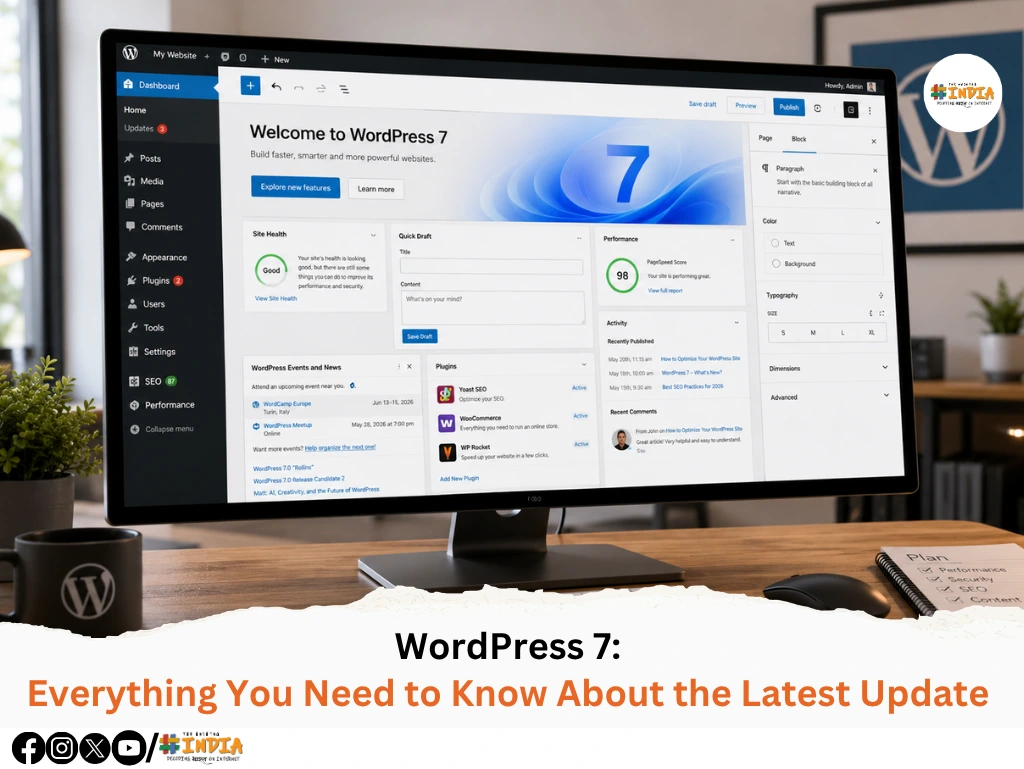
1. Completely Redesigned Admin Dashboard
One of the biggest visual changes in WordPress 7 is the revamped admin dashboard.
The interface now feels cleaner, smoother, and much more modern compared to previous versions.
Key Improvements:
- Faster navigation experience
- Simplified sidebar layout
- Improved accessibility features
- Better responsiveness across devices
- Cleaner workflow management
The new dashboard is designed to reduce clutter and help users manage websites more efficiently.
2. AI-Powered Features Built Into WordPress
Artificial intelligence now plays a major role inside WordPress 7.
The platform introduces built-in AI assistance that helps users create and manage content more effectively.
New AI Features Include:
- Smart writing suggestions
- AI-assisted SEO recommendations
- Automated layout suggestions
- Intelligent dashboard search
- Workflow automation support
These tools help creators save time while improving content quality and productivity.
3. Major Gutenberg Editor Enhancements
The Gutenberg block editor receives one of its biggest upgrades so far.
Website creation is now smoother, faster, and far more flexible.
Editor Improvements:
- Advanced drag-and-drop controls
- Real-time responsive previews
- Improved reusable blocks
- Expanded design templates
- Better handling of complex page layouts
With these updates, users can create highly customized pages with minimal coding knowledge.
4. Better Team Collaboration Features
WordPress 7 introduces improved collaboration tools for teams working on the same website.
This makes content management easier for agencies, editors, and marketing teams.
Collaboration Features:
- Improved multi-user editing
- Enhanced revision history
- Content draft commenting
- Role-based permissions
- Better workflow organization
The platform now supports a more streamlined publishing process for growing teams.
5. Faster Performance & Core Optimization
Performance is one of the strongest highlights of WordPress 7.
The core system has been optimized to improve both frontend and backend speed.
Performance Enhancements:
- Faster admin panel loading
- Optimized database performance
- Improved caching systems
- Reduced memory usage
- Better high-traffic handling
Websites running on WordPress 7 feel noticeably faster and more stable.
6. Advanced Security Improvements
Security updates in WordPress 7 focus on protecting websites from modern vulnerabilities and cyber threats.
Security Upgrades:
- Enhanced login protection
- Automatic security patching
- Improved plugin vulnerability detection
- Better permission management
- Stronger authentication systems
These updates help improve website safety without requiring complex manual configurations.
7. Plugin & Theme Compatibility Checks
Before updating to WordPress 7, compatibility testing is extremely important.
Some older plugins or custom themes may require updates to function properly.
Important Things to Check:
- Outdated plugins compatibility
- Custom theme performance
- WooCommerce functionality
- LMS plugin stability
- Page builder support
Always test updates on a staging website before applying them to your live site.
8. New Developer-Friendly Features
WordPress 7 also introduces several improvements for developers and advanced users.
Developer Updates:
- Cleaner REST API responses
- Improved hooks and filters
- Faster development workflows
- Enhanced debugging tools
- Better block development support
These changes make custom WordPress development more flexible and efficient.
Important Checklist Before Upgrading
Before upgrading your website to WordPress 7, follow these important steps:
Upgrade Checklist:
- Create a complete website backup
- Update all plugins and themes
- Test the update on a staging environment
- Verify forms and checkout pages
- Check email functionality
- Monitor performance after upgrading
A proper update process helps prevent downtime, errors, and compatibility issues.
Final Thoughts
WordPress 7 represents a major step forward in the evolution of website development. With AI-powered tools, faster performance, stronger security, and a more advanced block editor, the platform is clearly moving toward a smarter and more efficient future.
For businesses, creators, and developers, this update offers the opportunity to build websites that are faster, more scalable, and easier to manage than ever before.
However, like any major CMS update, careful planning and testing remain essential. Plugin conflicts, theme compatibility issues, and workflow disruptions can still occur if updates are implemented without proper preparation.
When upgraded correctly, WordPress 7 can significantly improve your website’s performance, user experience, and long-term scalability.
Stay Connected with The Hashtag India!
Love what you just read? Just Stay curious, keep exploring, and let every story inspire your day, your passions, and your journey!
Follow us for more amazing content: